



Malaysia’s LHDN e-Invoicing initiative is rolling out in phases, and businesses of all sizes, from F&B outlets to retailers and service providers, need to ensure their Point-of-Sale systems are compliant.
If your business issues invoices or receipts, this isn’t optional anymore. Staying compliant means avoiding penalties, keeping operations smooth, and future-proofing your business for a fully digital economy.
Here’s a practical, step-by-step guide to getting your POS system LHDN e-Invoice ready using Popcorn POS System from Rockbell.
Understanding the Timeline for LHDN e-Invoicing
Many SMEs don’t realise that LHDN e-Invoicing is rolling out in phases, and preparation should align with your business size and transaction volume.
- Phase 1: Large enterprises with high transaction volumes must comply first.
- Phase 2: Medium-sized businesses follow.
- Phase 3: Small businesses complete the final phase.
Why it matters: Knowing the timeline allows you to schedule POS upgrades, training, and testing without rushing. Early adoption also gives you more time to troubleshoot issues and ensures compliance before the official deadline.
Pro Tip: Review your business size against LHDN’s phase schedule and plan your e-Invoice adoption accordingly.
Here’s how you can get your POS system e-Invoice ready in just three simple steps with Popcorn POS System.
Step 1: Understand LHDN e-Invoice Requirements
Before making any changes, it’s important to understand what LHDN e-Invoice means for your business.
The Inland Revenue Board of Malaysia (LHDN) introduced e-Invoicing to ensure all business transactions are recorded and reported digitally in real time. Each invoice must be validated by MyInvois Portal or via API integration before it can be shared with customers.
For POS system users, this means:
- Every sales transaction must generate a digital invoice.
- The POS system must integrate with the LHDN system to submit and validate invoices automatically.
- Business owners should keep a secure digital record of all invoices issued.
By understanding these requirements early, you can ensure your POS system — such as Popcorn POS System — is properly configured for compliance.
Practical tip: Start by reviewing your current POS workflow. List all transaction types, invoice formats, and reporting processes. This will help you identify gaps and ensure your new system is configured correctly.
Step 2: Upgrade to a Compatible POS System
Not all POS systems are e-Invoice ready. If your current POS cannot connect to LHDN’s MyInvois portal, it’s time to upgrade.
Popcorn POS System is designed to support Malaysia’s upcoming e-Invoice framework. It allows your business to:
- Automatically generate e-Invoices that comply with LHDN’s format.
- Integrate with the MyInvois API, ensuring each transaction is validated in real time.
- Record and store invoice data securely for reporting and audit purposes.
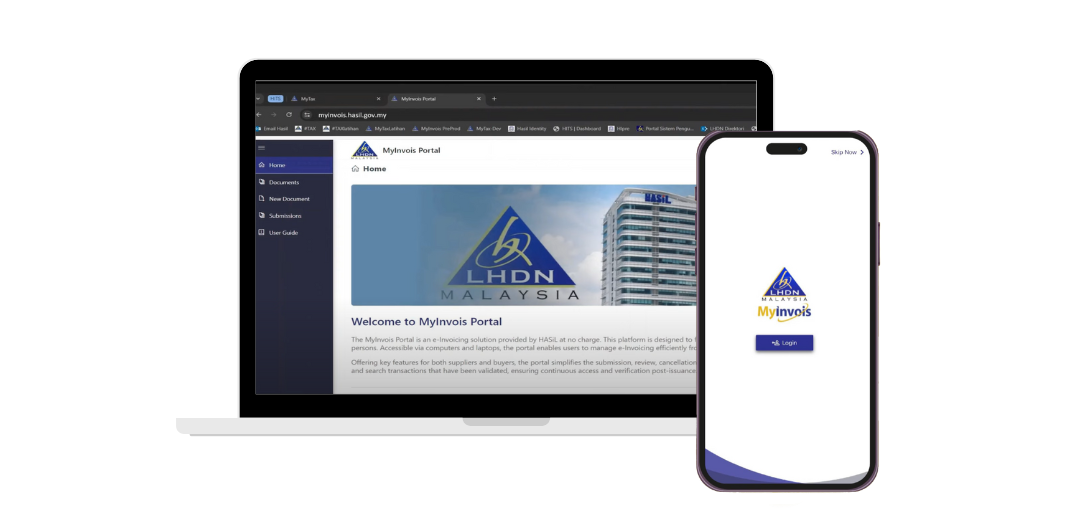
With Popcorn POS, you can continue running your daily operations smoothly while meeting all regulatory requirements — without manual uploads or complex technical setups.
Pro tip: When choosing a POS system, check for:
- Multi-device compatibility (handheld, tablet, desktop)
- User-friendly interface to reduce staff training time
- Integration with inventory and reporting systems to gain operational insights
This ensures your e-Invoice-ready POS also improves efficiency and day-to-day business operations.
Step 3: Conduct Training and Go Live
Once your POS system is upgraded and integrated, the next step is to ensure your team knows how to use it effectively.
Rockbell Software, the provider of Popcorn POS, offers official training and implementation support to help businesses transition seamlessly to e-Invoicing. During the training, your staff will learn how to:
- Issue compliant e-Invoices through the POS system.
- Handle rejected or failed invoices from LHDN.
- Manage refunds, credit notes, and other transaction types correctly.
After the training, your business can go live confidently, knowing your POS system is fully LHDN e-Invoice ready and your team understands how to operate it.
Pro tip: Schedule training before the official e-Invoicing rollout date. Early adoption allows staff to get familiar with the system and troubleshoot any issues in a low-pressure environment.
Transaction Scenarios to Test
When upgrading your POS system, it’s essential to ensure every transaction type is e-Invoice ready:
- Regular sales transactions
- Split bills or multiple payment types
- Refunds, credit notes, and voided sales
- Discounts, promotions, and loyalty program redemptions
Testing these scenarios ensures that invoices are correctly generated and validated by LHDN, preventing rejected invoices or operational disruptions.
Example: A café that tested all payment combinations avoided headaches during launch, as all invoices were automatically accepted by MyInvois.
Common Pitfalls to Avoid
Even when a business has the right POS system, challenges can arise if the rollout isn’t handled carefully. Avoiding these common pitfalls ensures your e-Invoice implementation is smooth and effective:
1. Skipping System Checks
It’s tempting to assume your POS system will work perfectly, but every transaction type needs testing. This includes sales, refunds, discounts, and split payments. Testing early identifies compatibility issues with the LHDN MyInvois portal, avoiding rejected invoices or errors down the line.
Example: A café skipped testing for split bill transactions. When e-Invoices were first generated, several were rejected, causing delays and customer frustration. A pre-launch check could have prevented this.
2. Ignoring Staff Training
Even the most advanced system fails if employees don’t know how to use it. Proper training ensures your team can:
- Issue compliant e-Invoices
- Handle failed or rejected invoices efficiently
- Manage refunds, credit notes, or cancellations without creating errors
Tip: Conduct hands-on sessions where employees practice real transactions. Include troubleshooting exercises so they’re confident before going live.
3. Delaying Implementation
Procrastination can create last-minute stress and increase the risk of non-compliance penalties. Schedule your system upgrade and training well ahead of the official rollout.
Tip: Set milestones: system upgrade, testing, staff training, and a soft launch phase. This phased approach reduces pressure and ensures a smoother transition.
4. Neglecting Backup and Security
Digital invoices are only useful if they are stored securely. A loss of invoice data can disrupt accounting, audits, and reporting.
Best practice:
- Regularly back up invoices to cloud storage or secure servers
- Restrict access to sensitive invoice data
- Implement version tracking to prevent accidental deletion or overwriting
Following these steps with careful planning minimises risk and ensures your LHDN e-Invoice adoption is seamless.
Extra Benefits of an e-Invoice Ready POS
Adopting an e-Invoice-ready POS system is not just about compliance — it also delivers real operational and strategic advantages:
1. Faster Invoice Processing Reduces Manual Errors
Automated invoice generation eliminates human error from manual entry. This means fewer rejected invoices, fewer corrections, and smoother day-to-day operations.
Example: A small retailer switched to Popcorn POS and saw invoice generation time drop from 15 minutes per transaction batch to just 2 minutes — freeing staff to focus on sales and customer service.
2. Clear Digital Records Simplify Audits and Tax Reporting
Digital invoices automatically stored and organised make audit preparation and tax reporting much easier. There’s no need to dig through physical receipts or manually reconcile records.
Tip: Use the POS reporting feature to generate monthly summaries for LHDN compliance checks. This reduces stress during audits and ensures your records are always up-to-date.
3. Improved Staff Productivity
When your POS handles invoicing, validation, and data storage automatically, staff spend less time on repetitive administrative tasks. This improves efficiency across the team.
Example: In an F&B outlet, servers no longer had to manually record transactions for accounting purposes. Staff could focus on serving customers, leading to faster service and happier patrons.
4. Future-Proofing Your Business
Implementing an e-Invoice-ready POS is a step towards full digital transformation. Once staff are familiar with integrated systems, adopting other tools like inventory management, loyalty programs, or analytics platforms becomes easier.
Strategic Tip: Treat e-Invoice readiness as part of a broader digital roadmap. Early adoption positions your business to take advantage of future technological innovations and government incentives.
Why Choose Popcorn POS System
Popcorn POS System is a complete F&B management solution that helps businesses simplify daily operations while staying compliant.
Key features include:
- User-friendly interface for quick order and payment.
- Real-time e-Invoice generation and submission.
- Multi-device compatibility (handheld, tablet, or desktop).
- Inventory and sales reporting for better business insights.
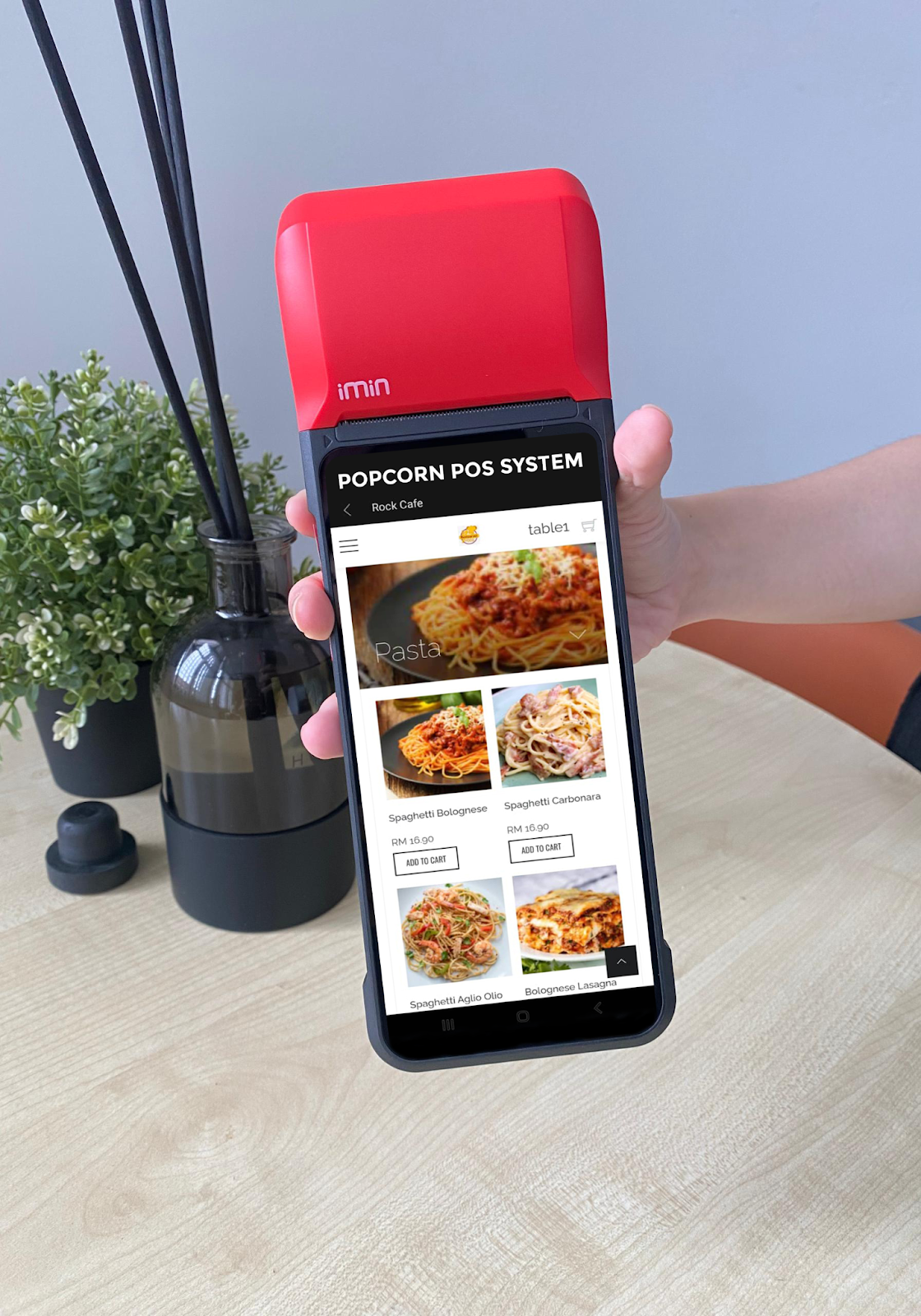
With Popcorn POS, you can future-proof your business against new tax regulations and ensure smooth compliance with LHDN’s e-Invoicing mandate.
Get Your POS System e-Invoice Ready Today
Preparing for LHDN e-Invoicing doesn’t have to be complicated. With the right system and proper guidance, your business can achieve compliance in just three simple steps:
- Understand the e-Invoice requirements.
- Upgrade to an LHDN-compatible POS system.
- Train your staff and go live.
Make the transition easy with Popcorn POS System by Rockbell Software — a trusted solution built for Malaysian businesses.
Contact Rockbell today to learn how to make your POS system LHDN e-Invoice ready.